> ## Documentation Index
> Fetch the complete documentation index at: https://docs.gourmand.dev/llms.txt
> Use this file to discover all available pages before exploring further.
# Settings
> Configure Gobi through VS Code's streamlined settings interface
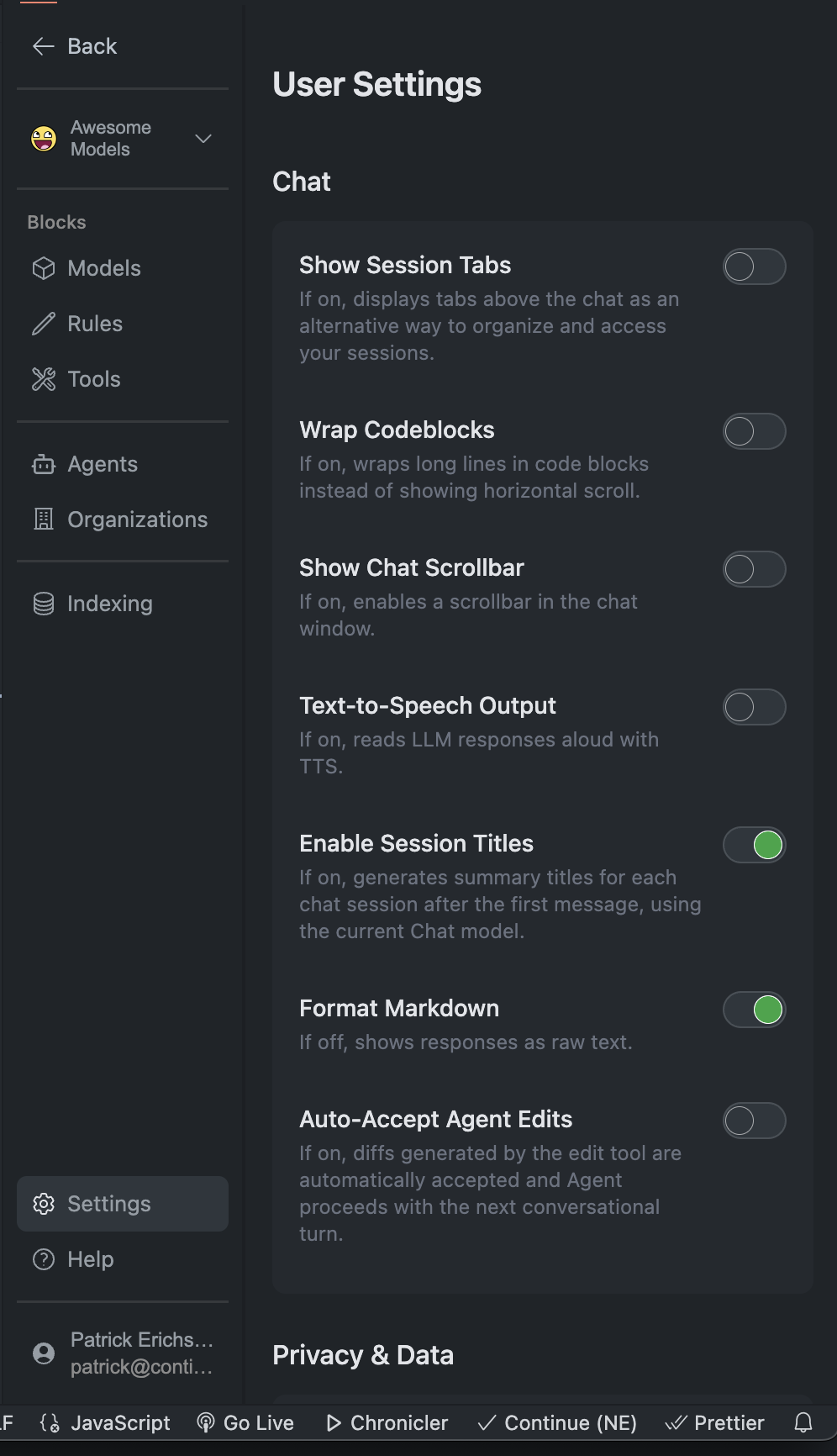 The new settings experience introduces a **card-based layout** that reduces visual clutter while maintaining powerful functionality. Every setting is more discoverable and easier to modify, whether you're on an ultrawide monitor or a small laptop screen.
## Quick Access
Click the gear in the Gobi sidebar
File → Preferences → Settings → Extensions → Gobi
Edit `config.yml` directly for advanced options
Use the toolbar buttons for quick access to specific settings: - **Rules**
(pencil icon) - Custom coding preferences - **Tools** (wrench icon) - Manage
integrations - **Models** (cube icon) - Configure AI providers
## Core Settings
| Setting | Description |
| ---------------- | ----------------------------- |
| Session Tabs | Manage multiple chat sessions |
| Code Wrapping | Auto-wrap long code lines |
| Markdown Display | Show raw markdown vs rendered |
| Chat Scrollbar | Toggle scrollbar visibility |
| Setting | Description |
| ----------------- | ------------------------------------- |
| Auto-accept Diffs | Apply code changes automatically |
| Tool Rejection | Gobi after tool rejection |
| Auto-naming | Generate session titles automatically |
Configure code completions:
The new settings experience introduces a **card-based layout** that reduces visual clutter while maintaining powerful functionality. Every setting is more discoverable and easier to modify, whether you're on an ultrawide monitor or a small laptop screen.
## Quick Access
Click the gear in the Gobi sidebar
File → Preferences → Settings → Extensions → Gobi
Edit `config.yml` directly for advanced options
Use the toolbar buttons for quick access to specific settings: - **Rules**
(pencil icon) - Custom coding preferences - **Tools** (wrench icon) - Manage
integrations - **Models** (cube icon) - Configure AI providers
## Core Settings
| Setting | Description |
| ---------------- | ----------------------------- |
| Session Tabs | Manage multiple chat sessions |
| Code Wrapping | Auto-wrap long code lines |
| Markdown Display | Show raw markdown vs rendered |
| Chat Scrollbar | Toggle scrollbar visibility |
| Setting | Description |
| ----------------- | ------------------------------------- |
| Auto-accept Diffs | Apply code changes automatically |
| Tool Rejection | Gobi after tool rejection |
| Auto-naming | Generate session titles automatically |
Configure code completions:
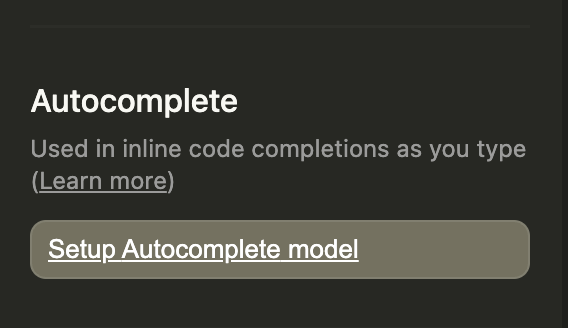 Autocomplete models need to be added to your config to enable selecting an autocomplete model. If none is available, you will be linked to the docs showing recommended models. See our [model recommendations](/customize/model-roles/autocomplete) for the best autocomplete models.
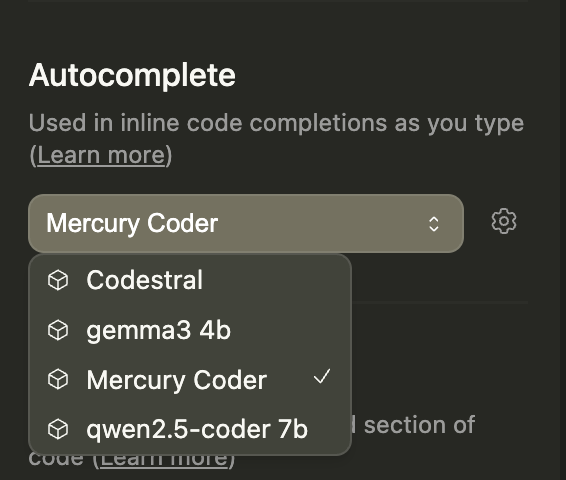 To better understand how to set up configs and models, see our [Understanding Configs guide](/guides/understanding-configs).
Control how Gobi understands your codebase:
To better understand how to set up configs and models, see our [Understanding Configs guide](/guides/understanding-configs).
Control how Gobi understands your codebase:
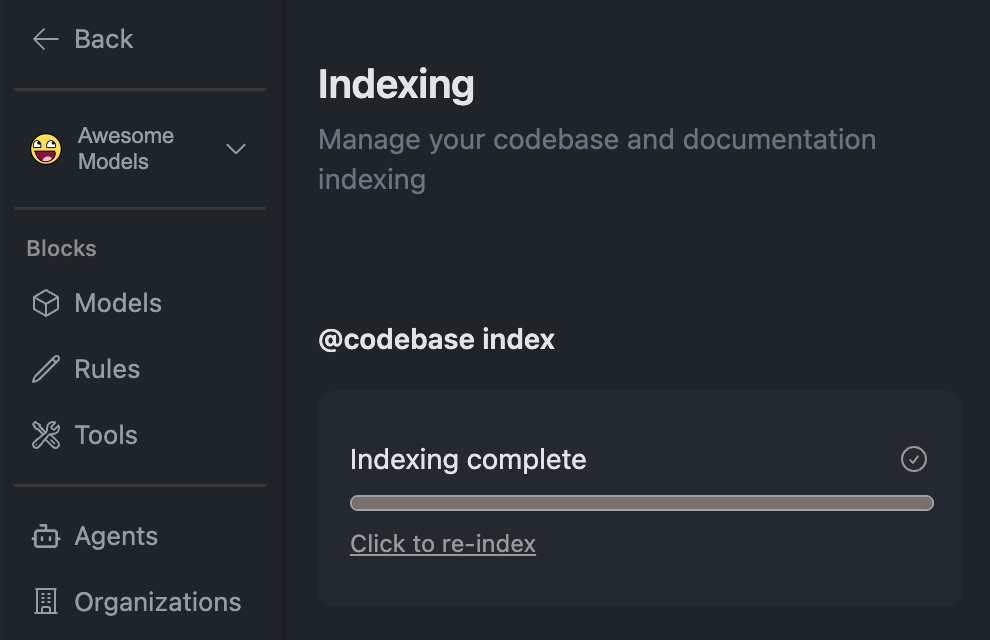 Toggle codebase indexing in the settings panel
Watch real-time status in the UI
Check which files are indexed via the status indicator
Indexing enables Gobi to understand your entire codebase structure, significantly improving context awareness and suggestions.
These features are in beta and may change or have stability issues.
| Feature | Purpose |
| -------------------------------- | --------------------------------------------------------------------------------------- |
| Add Current File by Default | The currently open file is added as context in every new conversation |
| Enable experimental tools | Enables access to experimental tools that are still in development |
| Only use system message tools | Gobi will not attempt to use native tool calling and will only use system message tools |
| @Codebase: use tool calling only | @codebase context provider will only use tool calling for code retrieval |
| Stream after tool rejection | Streaming will gobi after the tool call is rejected |
## Model & Assistant Selection
Toggle codebase indexing in the settings panel
Watch real-time status in the UI
Check which files are indexed via the status indicator
Indexing enables Gobi to understand your entire codebase structure, significantly improving context awareness and suggestions.
These features are in beta and may change or have stability issues.
| Feature | Purpose |
| -------------------------------- | --------------------------------------------------------------------------------------- |
| Add Current File by Default | The currently open file is added as context in every new conversation |
| Enable experimental tools | Enables access to experimental tools that are still in development |
| Only use system message tools | Gobi will not attempt to use native tool calling and will only use system message tools |
| @Codebase: use tool calling only | @codebase context provider will only use tool calling for code retrieval |
| Stream after tool rejection | Streaming will gobi after the tool call is rejected |
## Model & Assistant Selection
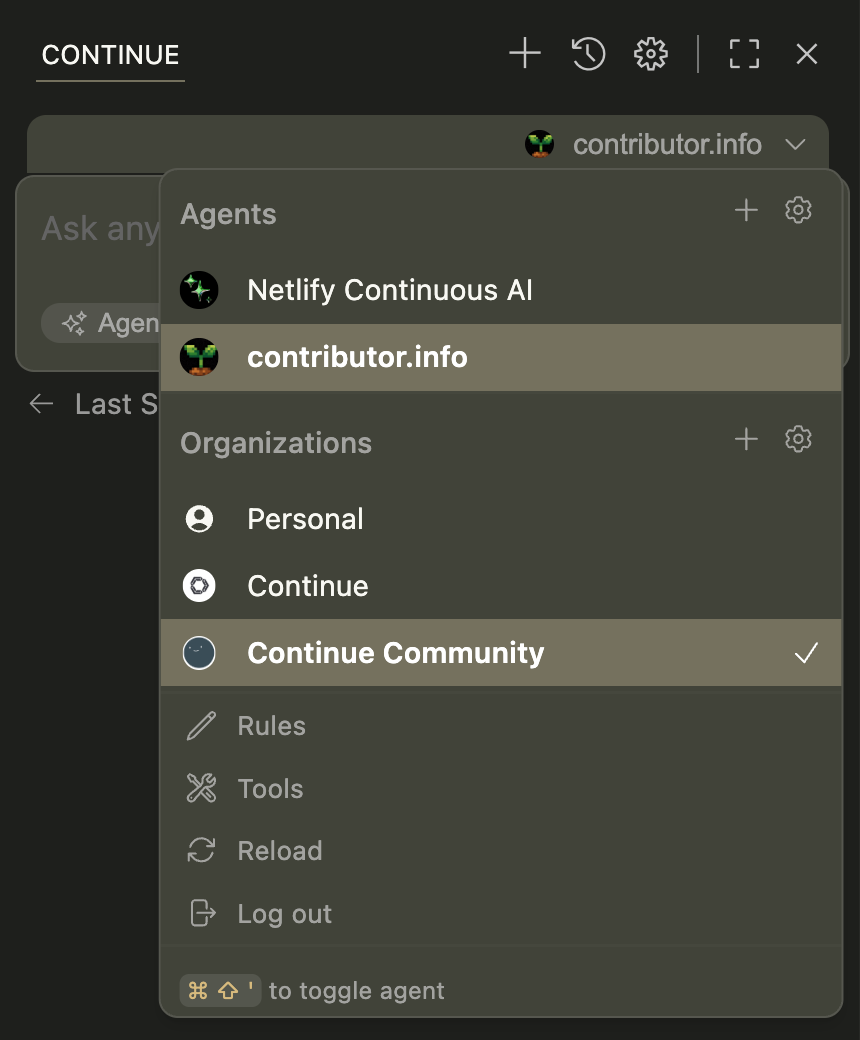 The refined assistant selector features:
* **Organization badges** for easy provider identification
* **Smart error handling** that sorts problematic configurations while keeping them selectable
* **Keyboard navigation** for quick model switching
## Privacy & Data
All code analysis happens locally unless explicitly shared
Opt in/out of anonymous usage statistics
Sessions auto-save and restore between IDE restarts
## Troubleshooting
* Verify API keys in `config.yml` - Check network connectivity - Confirm
endpoint URLs are correct
* Review MCP server configurations - Check tool permissions - Verify tool
dependencies are installed
* Check file permissions
* Review `.gitignore` patterns
* Verify sufficient disk space
Still having issues? Check our comprehensive [troubleshooting
guide](/troubleshooting) or visit the [FAQs](/faqs) for more solutions.
## Next Steps
Set up your AI providers
Extend Gobi with MCP tools
Define coding preferences
Customize AI behavior
The refined assistant selector features:
* **Organization badges** for easy provider identification
* **Smart error handling** that sorts problematic configurations while keeping them selectable
* **Keyboard navigation** for quick model switching
## Privacy & Data
All code analysis happens locally unless explicitly shared
Opt in/out of anonymous usage statistics
Sessions auto-save and restore between IDE restarts
## Troubleshooting
* Verify API keys in `config.yml` - Check network connectivity - Confirm
endpoint URLs are correct
* Review MCP server configurations - Check tool permissions - Verify tool
dependencies are installed
* Check file permissions
* Review `.gitignore` patterns
* Verify sufficient disk space
Still having issues? Check our comprehensive [troubleshooting
guide](/troubleshooting) or visit the [FAQs](/faqs) for more solutions.
## Next Steps
Set up your AI providers
Extend Gobi with MCP tools
Define coding preferences
Customize AI behavior