> ## Documentation Index
> Fetch the complete documentation index at: https://docs.gourmand.dev/llms.txt
> Use this file to discover all available pages before exploring further.
# Tetrate Agent Router Service
The **Tetrate Agent Router Service** provides a unified Gateway for accessing various AI models with fast inference capabilities.
This gateway acts as an intelligent router that can distribute requests across multiple model providers, offering enterprise-grade reliability and performance optimization.
Want to get started quickly? Sign up for the [Tetrate Agent Router Service](https://router.tetrate.ai/) to get an API key, then use [Tetrate on Gobi Hub](https://hub.gourmand.dev/tetrate) to get started fast.
## Setup
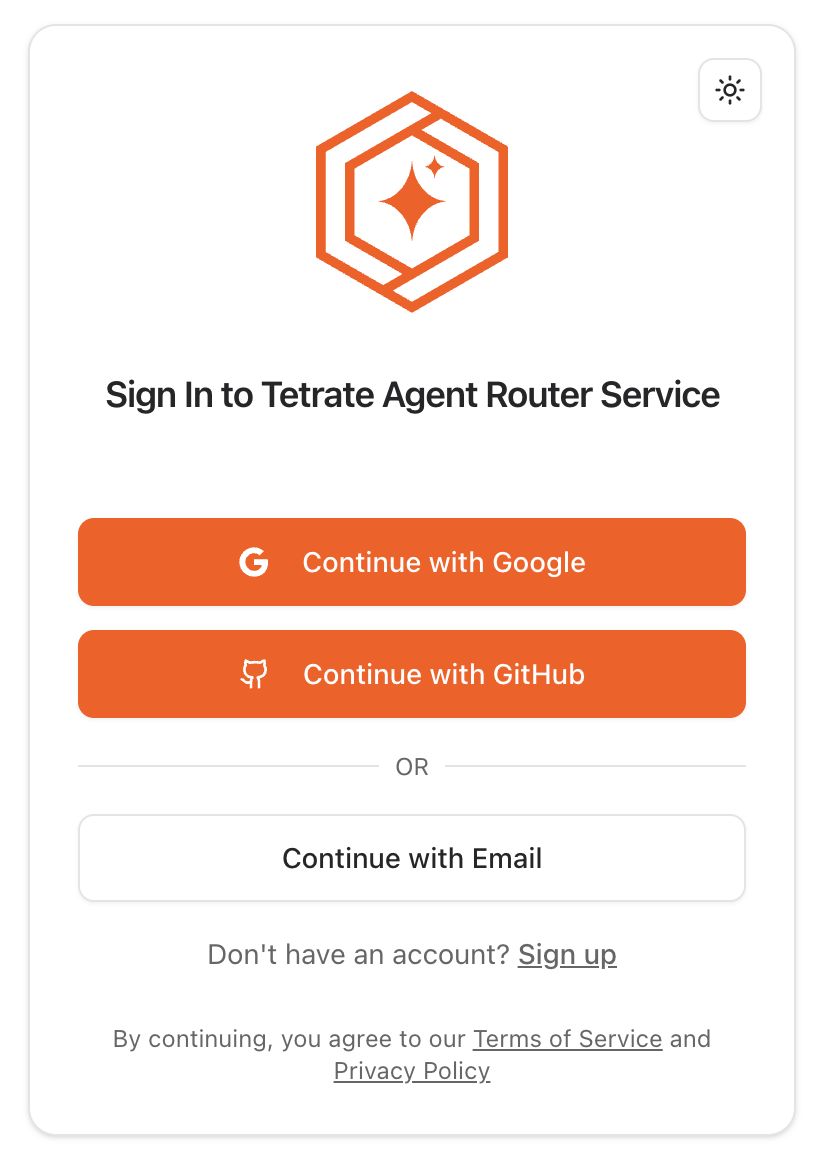
Visit the [Agent Router Service portal](https://router.tetrate.ai/) and create an account to get your API key
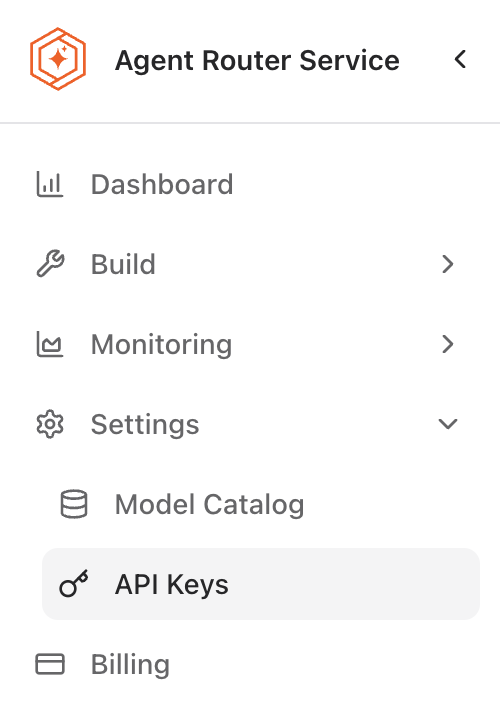
 Go to the [API keys page](https://router.tetrate.ai/api-keys) to get your key
 * Choose a configuration method below.
* If you use the Gobi VS Code extension, install version `>=1.2.3`.
### Quickstart with Gobi Hub
Fastest way: use preconfigured models from Tetrate on Gobi Hub
Open [Tetrate on Gobi Hub](https://hub.gourmand.dev/tetrate) and pick a model (e.g., [Claude Sonnet 4](https://hub.gourmand.dev/tetrate/claude-sonnet-4))
Click "Use Model", or "Remix" to change the model ID if needed
Add your API key to Gobi. See [adding secrets in Gobi Hub](/hub/secrets/secret-types) and [managing local secrets in the FAQ](/faqs#managing-local-secrets-and-environment-variables)
Add it as a Gobi Hub secret named `TETRATE_API_KEY` to reuse across projects.
* Choose a configuration method below.
* If you use the Gobi VS Code extension, install version `>=1.2.3`.
### Quickstart with Gobi Hub
Fastest way: use preconfigured models from Tetrate on Gobi Hub
Open [Tetrate on Gobi Hub](https://hub.gourmand.dev/tetrate) and pick a model (e.g., [Claude Sonnet 4](https://hub.gourmand.dev/tetrate/claude-sonnet-4))
Click "Use Model", or "Remix" to change the model ID if needed
Add your API key to Gobi. See [adding secrets in Gobi Hub](/hub/secrets/secret-types) and [managing local secrets in the FAQ](/faqs#managing-local-secrets-and-environment-variables)
Add it as a Gobi Hub secret named `TETRATE_API_KEY` to reuse across projects.
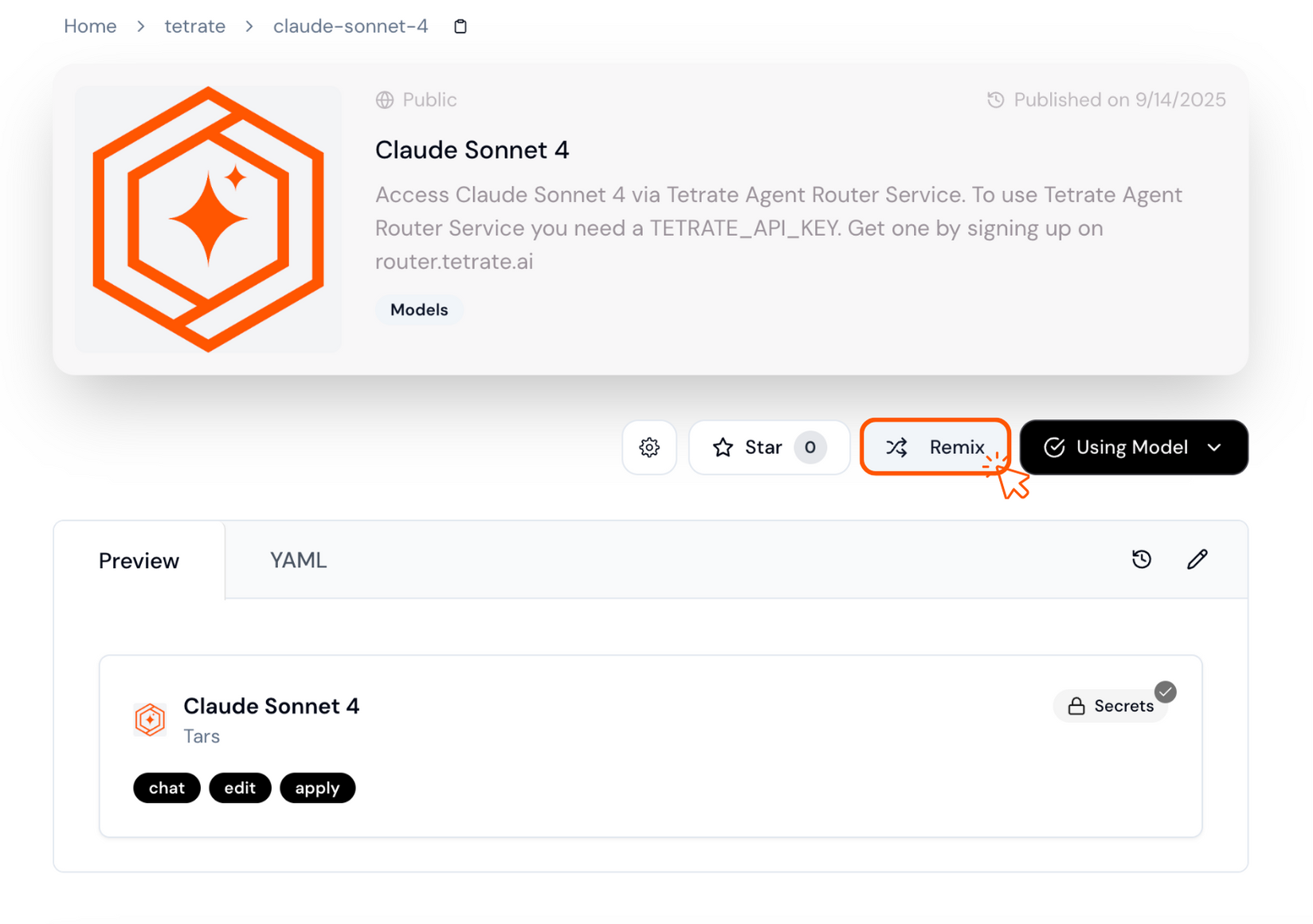 If a model is missing, remix a similar one and set the `model` field to the target ID.
### Configuration Methods
Use a Tetrate model block from the Hub or define it directly in your local agent configuration.
Use a Tetrate model block from the Hub or define your own on the Hub.
Create a local model block for reuse across agents without publishing it to the Hub.
### Configuration Examples
**Click a tab** to see an example.
**When to use**: Simple local setups (like using the VS Code extension) when you don't need shared or published blocks.
Use a Tetrate model block from the Hub in your local agent configuration:
```yaml title="~/.gobi/config.yaml" theme={null}
name: Local Agent
version: 1.0.0
schema: v1
models:
- uses: tetrate/claude-sonnet-4
with:
TETRATE_API_KEY: ${{ secrets.TETRATE_API_KEY }}
context:
- provider: code
- provider: docs
- provider: diff
- provider: terminal
- provider: problems
- provider: folder
- provider: codebase
```
Or define the model directly:
```yaml title="~/.gobi/config.yaml" theme={null}
name: Local Agent
version: 1.0.0
schema: v1
models:
- name: Claude Sonnet 4
provider: tars
model: claude-4-sonnet-20250514
apiKey: ${{ secrets.TETRATE_API_KEY }}
roles:
- chat
- edit
- apply
capabilities:
- tool_use
context:
- provider: code
- provider: docs
- provider: diff
- provider: terminal
- provider: problems
- provider: folder
- provider: codebase
```
**When to use**: Share configurations across teams or contribute to the community.
**The Model Block:**
```yaml title="tetrate/claude-sonnet-4" theme={null}
name: Claude Sonnet 4
version: 1.0.14
schema: v1
models:
- name: Claude Sonnet 4 - Tetrate
provider: tars
model: claude-4-sonnet-20250514
apiKey: ${{ inputs.TETRATE_API_KEY }}
roles:
- chat
- edit
- apply
capabilities:
- tool_use
```
View the model block `tetrate/claude-sonnet-4` on the [Gobi Hub](https://hub.gourmand.dev/tetrate/claude-sonnet-4).
**Reference it in your Agent configuration:**
```yaml title="my-agent" theme={null}
name: My Agent
version: 1.0.0
schema: v1
models:
- uses: tetrate/claude-sonnet-4
with:
TETRATE_API_KEY: ${{ secrets.TETRATE_API_KEY }}
context:
- uses: gourmand/diff-context
- uses: gourmand/terminal-context
- uses: gourmand/file-context
```
To customize, see the [model block creation guide](/hub/configs/create-a-block).
**When to use**: Reuse configurations across agents and keep them local or in GitHub (not on Gobi Hub).
**The Local Model Block:**
Name the file `my-claude-4-model.yaml` so you can reference it in the Agent.
```yaml title="~/.gobi/models/my-claude-4-model.yaml" theme={null}
name: Claude Sonnet 4
version: 1.0.1
schema: v1
models:
- name: Claude Sonnet 4
provider: tars
model: claude-4-sonnet-20250514
apiKey: ${{ inputs.TETRATE_API_KEY }}
roles:
- chat
- edit
- apply
capabilities:
- tool_use
```
Reference it as `my-claude-4-model` in your Agent configuration:
```yaml title="~/.gobi/agents/simple-agent.yaml" theme={null}
name: Simple Agent
version: 1.0.0
schema: v1
models:
- uses: my-claude-4-model
with:
TETRATE_API_KEY: ${{ secrets.TETRATE_API_KEY }}
context:
- uses: gourmand/diff-context
- uses: gourmand/terminal-context
- uses: gourmand/file-context
```
Learn more about [model blocks](/reference#models) and [local blocks](/reference#local-blocks).
***
## Troubleshooting Common Issues
Verify your API key is active and has no extra spaces.
Confirm the model ID matches the Tetrate catalog.
Check your network or try a less-loaded model. Contact Tetrate support if issues persist.
Validate YAML syntax and review error messages in Gobi. If using Hub, ensure the block is published.
***
## Join the Community
Connect with Tetrate and other builders for help and discussion.
Get answers, insights, and best practices for secure, scalable infrastructure
If a model is missing, remix a similar one and set the `model` field to the target ID.
### Configuration Methods
Use a Tetrate model block from the Hub or define it directly in your local agent configuration.
Use a Tetrate model block from the Hub or define your own on the Hub.
Create a local model block for reuse across agents without publishing it to the Hub.
### Configuration Examples
**Click a tab** to see an example.
**When to use**: Simple local setups (like using the VS Code extension) when you don't need shared or published blocks.
Use a Tetrate model block from the Hub in your local agent configuration:
```yaml title="~/.gobi/config.yaml" theme={null}
name: Local Agent
version: 1.0.0
schema: v1
models:
- uses: tetrate/claude-sonnet-4
with:
TETRATE_API_KEY: ${{ secrets.TETRATE_API_KEY }}
context:
- provider: code
- provider: docs
- provider: diff
- provider: terminal
- provider: problems
- provider: folder
- provider: codebase
```
Or define the model directly:
```yaml title="~/.gobi/config.yaml" theme={null}
name: Local Agent
version: 1.0.0
schema: v1
models:
- name: Claude Sonnet 4
provider: tars
model: claude-4-sonnet-20250514
apiKey: ${{ secrets.TETRATE_API_KEY }}
roles:
- chat
- edit
- apply
capabilities:
- tool_use
context:
- provider: code
- provider: docs
- provider: diff
- provider: terminal
- provider: problems
- provider: folder
- provider: codebase
```
**When to use**: Share configurations across teams or contribute to the community.
**The Model Block:**
```yaml title="tetrate/claude-sonnet-4" theme={null}
name: Claude Sonnet 4
version: 1.0.14
schema: v1
models:
- name: Claude Sonnet 4 - Tetrate
provider: tars
model: claude-4-sonnet-20250514
apiKey: ${{ inputs.TETRATE_API_KEY }}
roles:
- chat
- edit
- apply
capabilities:
- tool_use
```
View the model block `tetrate/claude-sonnet-4` on the [Gobi Hub](https://hub.gourmand.dev/tetrate/claude-sonnet-4).
**Reference it in your Agent configuration:**
```yaml title="my-agent" theme={null}
name: My Agent
version: 1.0.0
schema: v1
models:
- uses: tetrate/claude-sonnet-4
with:
TETRATE_API_KEY: ${{ secrets.TETRATE_API_KEY }}
context:
- uses: gourmand/diff-context
- uses: gourmand/terminal-context
- uses: gourmand/file-context
```
To customize, see the [model block creation guide](/hub/configs/create-a-block).
**When to use**: Reuse configurations across agents and keep them local or in GitHub (not on Gobi Hub).
**The Local Model Block:**
Name the file `my-claude-4-model.yaml` so you can reference it in the Agent.
```yaml title="~/.gobi/models/my-claude-4-model.yaml" theme={null}
name: Claude Sonnet 4
version: 1.0.1
schema: v1
models:
- name: Claude Sonnet 4
provider: tars
model: claude-4-sonnet-20250514
apiKey: ${{ inputs.TETRATE_API_KEY }}
roles:
- chat
- edit
- apply
capabilities:
- tool_use
```
Reference it as `my-claude-4-model` in your Agent configuration:
```yaml title="~/.gobi/agents/simple-agent.yaml" theme={null}
name: Simple Agent
version: 1.0.0
schema: v1
models:
- uses: my-claude-4-model
with:
TETRATE_API_KEY: ${{ secrets.TETRATE_API_KEY }}
context:
- uses: gourmand/diff-context
- uses: gourmand/terminal-context
- uses: gourmand/file-context
```
Learn more about [model blocks](/reference#models) and [local blocks](/reference#local-blocks).
***
## Troubleshooting Common Issues
Verify your API key is active and has no extra spaces.
Confirm the model ID matches the Tetrate catalog.
Check your network or try a less-loaded model. Contact Tetrate support if issues persist.
Validate YAML syntax and review error messages in Gobi. If using Hub, ensure the block is published.
***
## Join the Community
Connect with Tetrate and other builders for help and discussion.
Get answers, insights, and best practices for secure, scalable infrastructure