> ## Documentation Index
> Fetch the complete documentation index at: https://docs.gourmand.dev/llms.txt
> Use this file to discover all available pages before exploring further.
# Creating an Organization
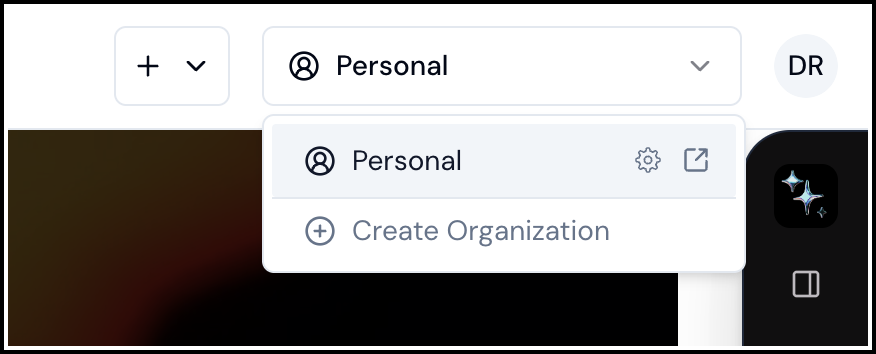
> To Create an Organization, click the organization selector in the top right and select
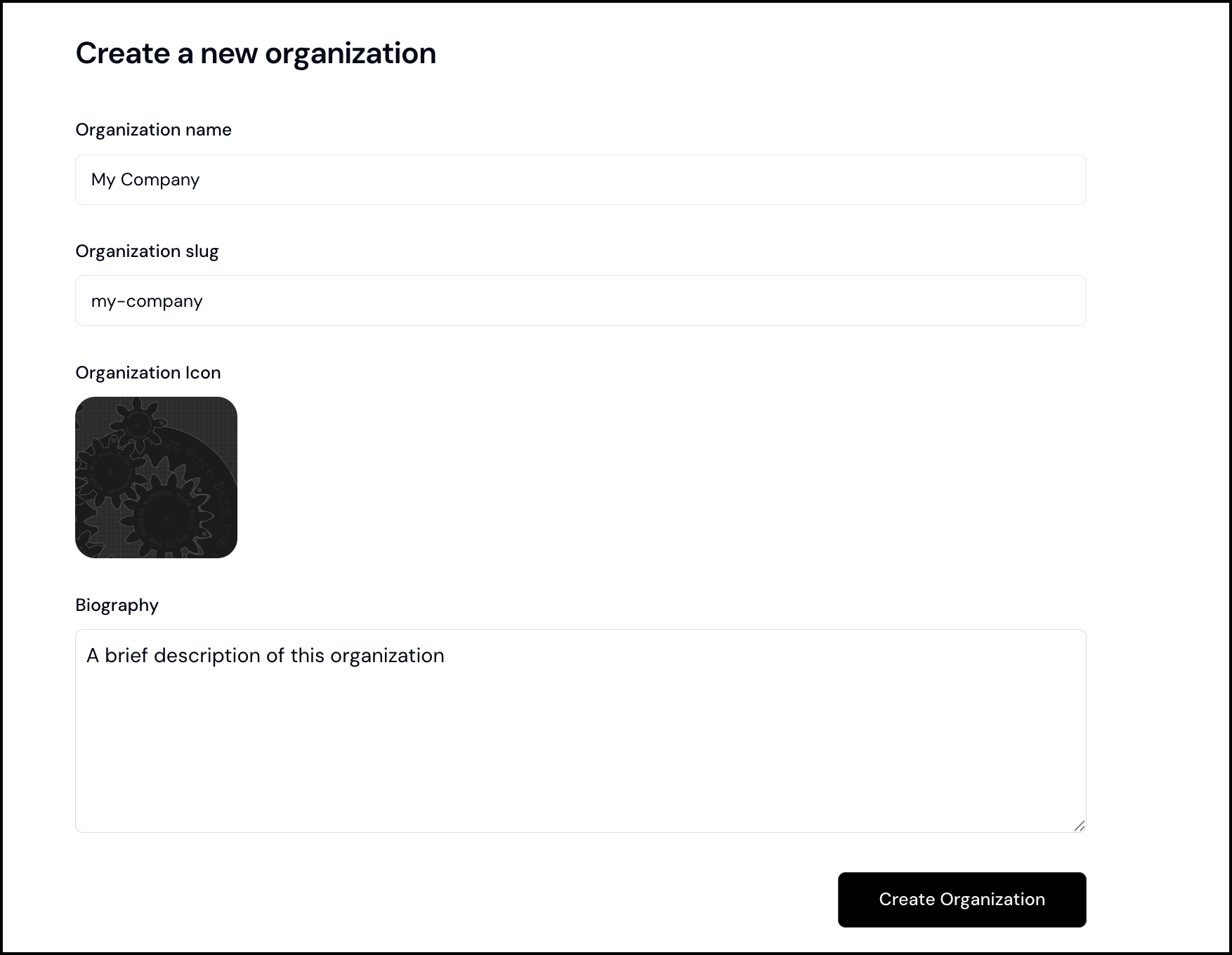
 1. Choose a name, which will be used as the display name for your organization throughout the hub
2. Add a slug, which will be used for your org URL and as the prefix to all organization configuration slugs
3. Select an icon for your organization using the image uploader
4. Finally, add a Biography, which will be displayed on your org Home Page
1. Choose a name, which will be used as the display name for your organization throughout the hub
2. Add a slug, which will be used for your org URL and as the prefix to all organization configuration slugs
3. Select an icon for your organization using the image uploader
4. Finally, add a Biography, which will be displayed on your org Home Page
 You will then be signed in to your org and taken to the org home page
